Self-hosted · BullMQ & BullMQ Pro

The BullMQ dashboard you can put in front of production.

One container next to your stack. Queues, jobs, failures, progress, logs, flows and Pro groups, behind a real login. No KEYS, one round trip per screen, payloads truncated inside Redis before they travel.

Install the free edition See Pro pricing Free core, MIT-style honesty: Pro features are shown locked, never hidden.
bullpane · overview
Bullpane overview: every connection and queue with counts, success rate and a sparkline, grouped in folders
# 1. run it next to the Redis your workers already use
docker run -d --name bullpane -p 3000:3000 \
  -e SESSION_SECRET=$(openssl rand -base64 32) \
  -e DATABASE_URL=mysql://user:pass@mysql:3306/bullpane \
  ghcr.io/madmorett/bullpane:latest

# 2. open http://localhost:3000, create the admin, add a Redis connection
# 3. that's the whole install. Pro is a key you paste in Settings → License.
 works with Redis, Redis Cluster, Valkey · BullMQ 4/5 and BullMQ Pro

Built by Matheus Morett, CTO at Monest · 100M+ BullMQ jobs a day in production. Every feature here shipped because we needed it first. @Morett_the_best

How it compares

bull-board is free but has no login. Taskforce.sh is the hosted dashboard from the BullMQ authors: polished, but your job data leaves your network and you pay per connection. Bullpane is the third option: self-hosted, safe on production, priced per installation.

IncludedPro Included in Bullpane Pro Not available
bull-boardopen source Taskforce.shhosted SaaS Bullpaneself-hosted
Job data stays in your networkpayloads go to their cloud
Login
Users & rolesPro
Search inside job data
BullMQ Pro groups, per-group concurrency & rate limits
Alerts to Slack / webhookPro
Audit log in your own databaselives in their accountPro
Flow graphPro
PriceFreeMonthly, per connectionFree · Pro $19/mo per installation

Everything you wished bull-board showed you

Real screenshots of the dashboard, running against a BullMQ Pro queue and a busy demo. No mockups, no "artist's impression". If it is on this page, it is on the screen.
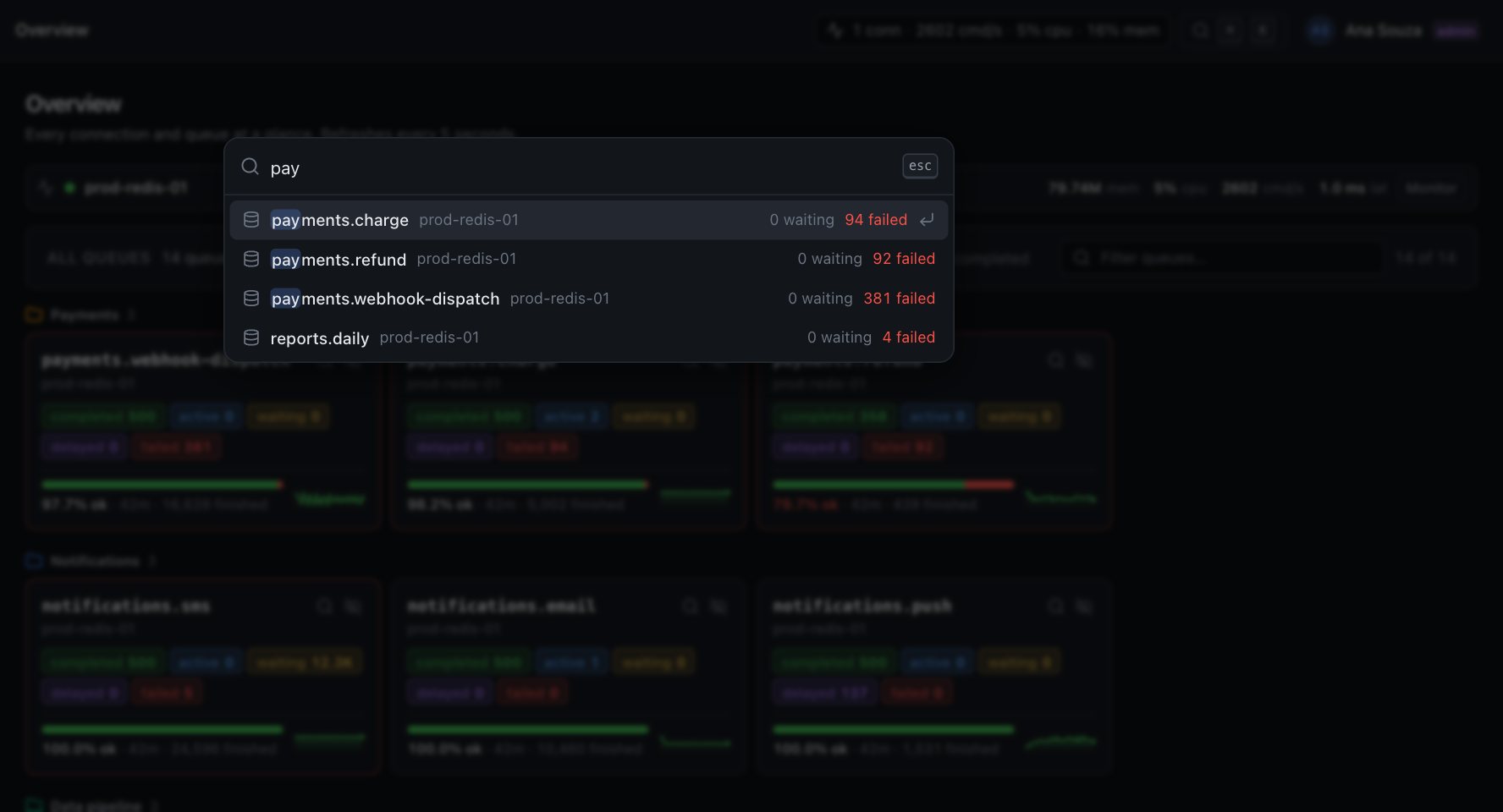
Any queue in one keystroke

K searches every queue on every connection. Waiting and failed counts sit right in the result, so you know which one is on fire before you open it.
Command palette listing queues matching 'pay' with waiting and failed counts
BullMQ Pro

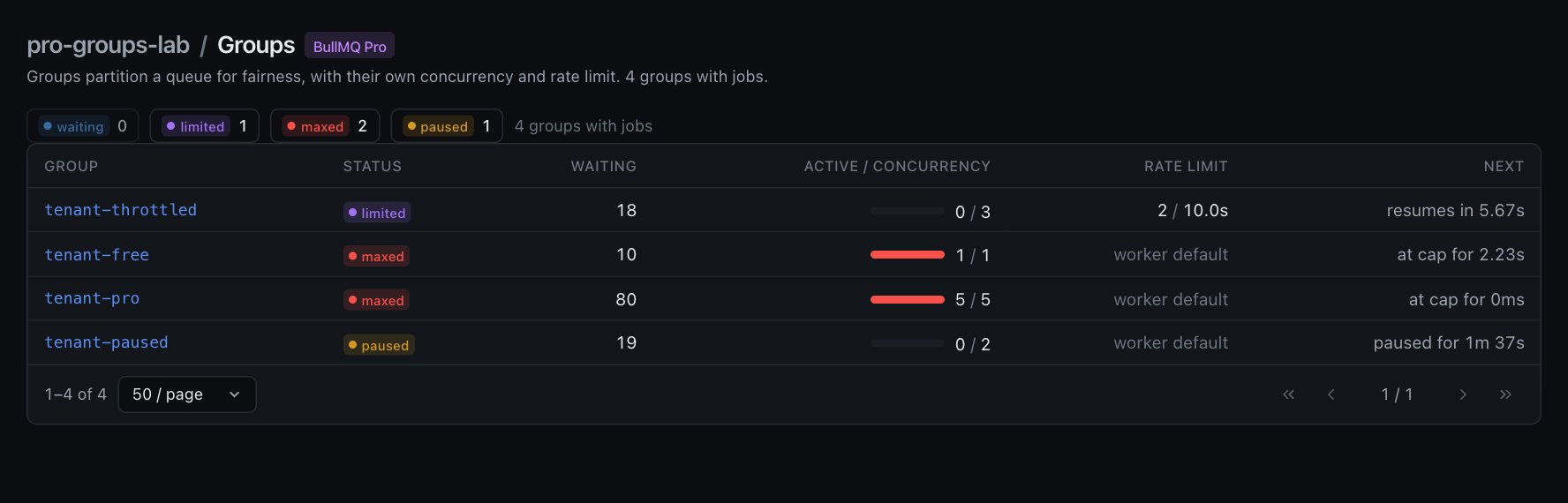
Groups, with every per-group setting

Status straight from Pro's own keys: waiting, limited, maxed, paused. Active jobs against the group's concurrency cap, its rate limit, and exactly when a limited group resumes.
Validated against @taskforcesh/bullmq-pro 7.48 running real workers, not against a guess at the key layout. Group jobs are listed in the order Pro will serve them.

Groups view: four tenant groups with status, waiting, active over concurrency, rate limit and when they resume

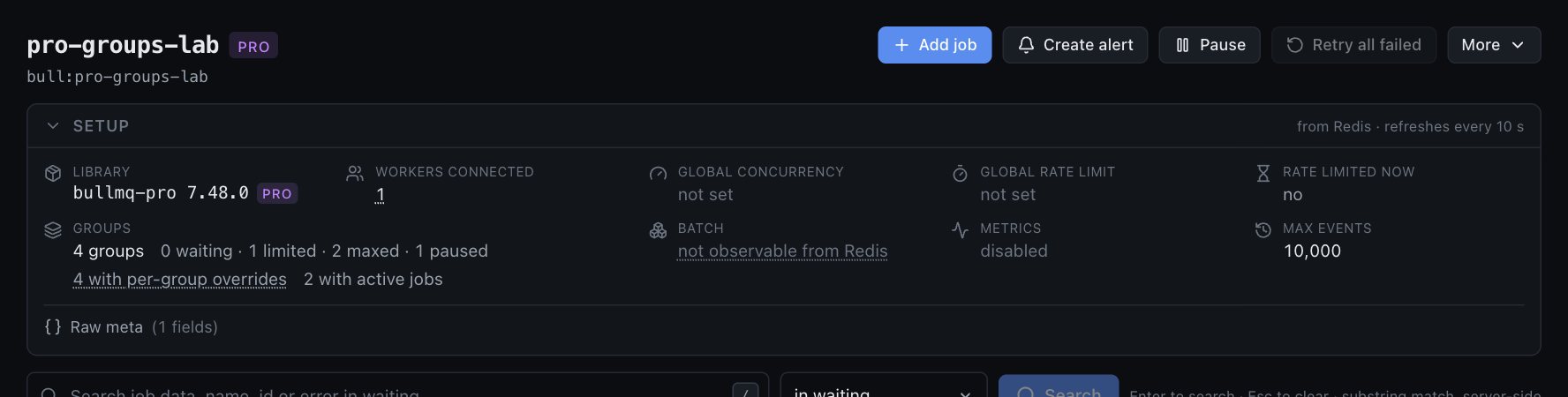
How the queue is configured, without opening the code

Library and version, workers connected right now, global concurrency, global rate limit, whether a limiter is throttling this very second, metrics on or off, max events.

And when something lives only in worker options, like batch size, it says not observable from Redis instead of inventing a number. You can trust every field because we refuse to guess the ones we cannot read.

Queue setup panel showing bullmq-pro 7.48.0, workers connected, concurrency, rate limit and group settings read from Redis

Retry, remove, promote, add. One job or two hundred.

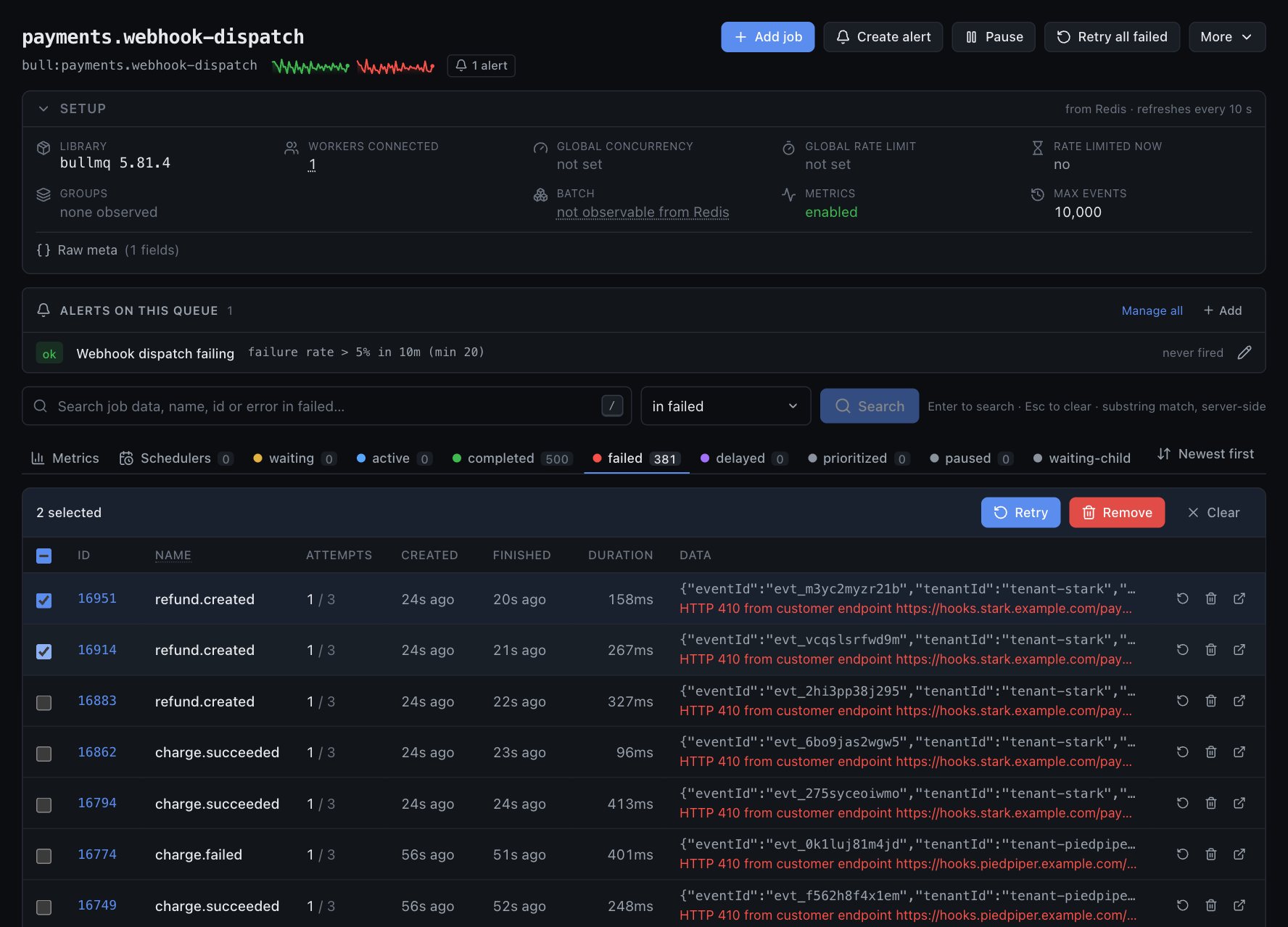
Row actions on every job, bulk actions on a selection, Retry all failed, Pause, Clean. Drain and Obliterate exist too, behind the admin role.

The failure reason sits in the row. No click, no modal, no "loading job 5440…".

Failed tab of a queue with two jobs selected and Retry / Remove bulk actions, plus Add job, Pause and Retry all failed

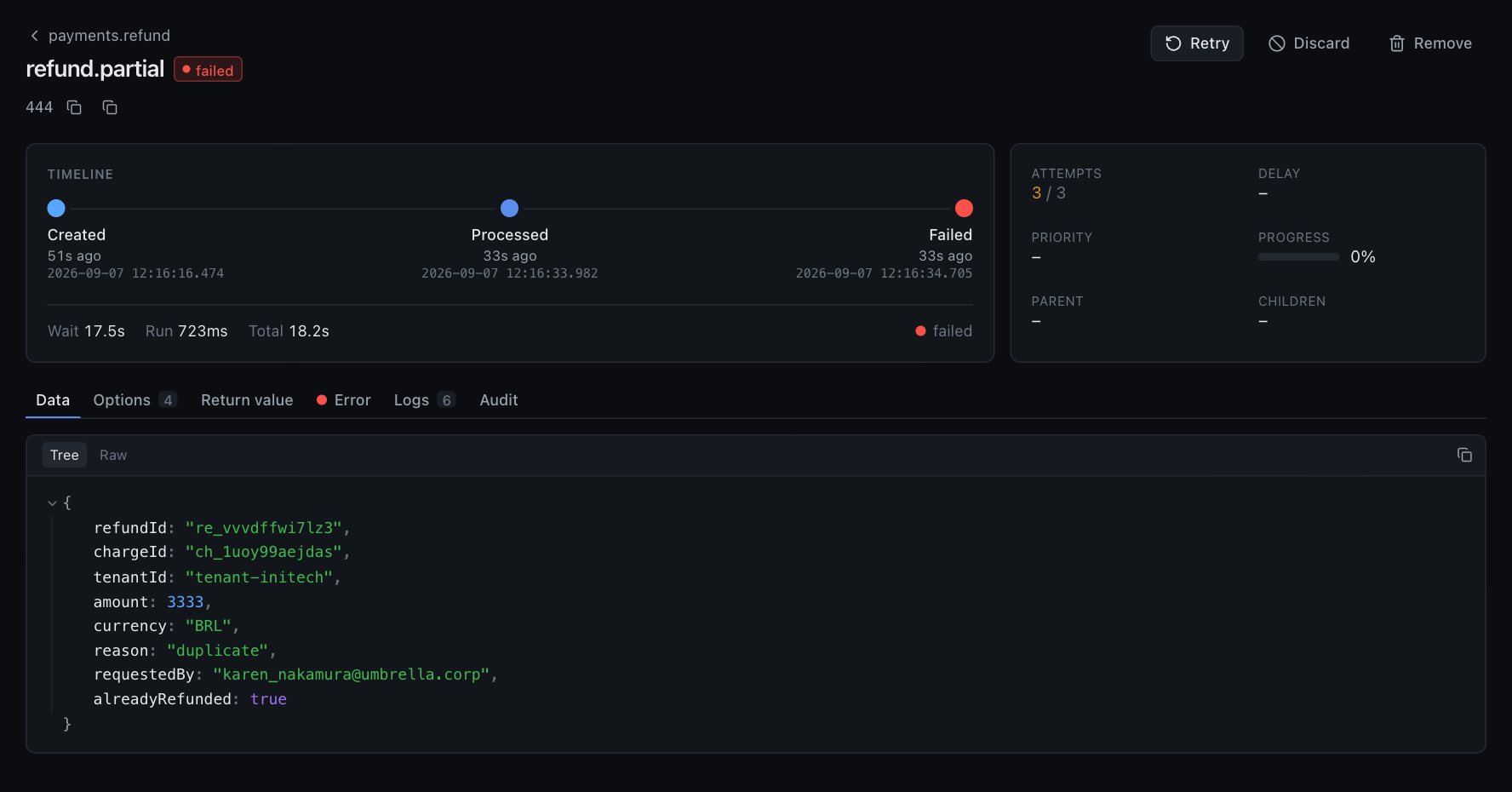
Jobs you can actually read

A timeline from created to processed to finished, with wait and run time. Data as a collapsible tree or raw JSON. Options, return value, stack trace, logs, and the audit trail of who touched this job.

Payloads are truncated inside Redis for the list view and fetched whole only when you open the job.

Job page: timeline, attempts, data tree, tabs for options, return value, error, logs and audit

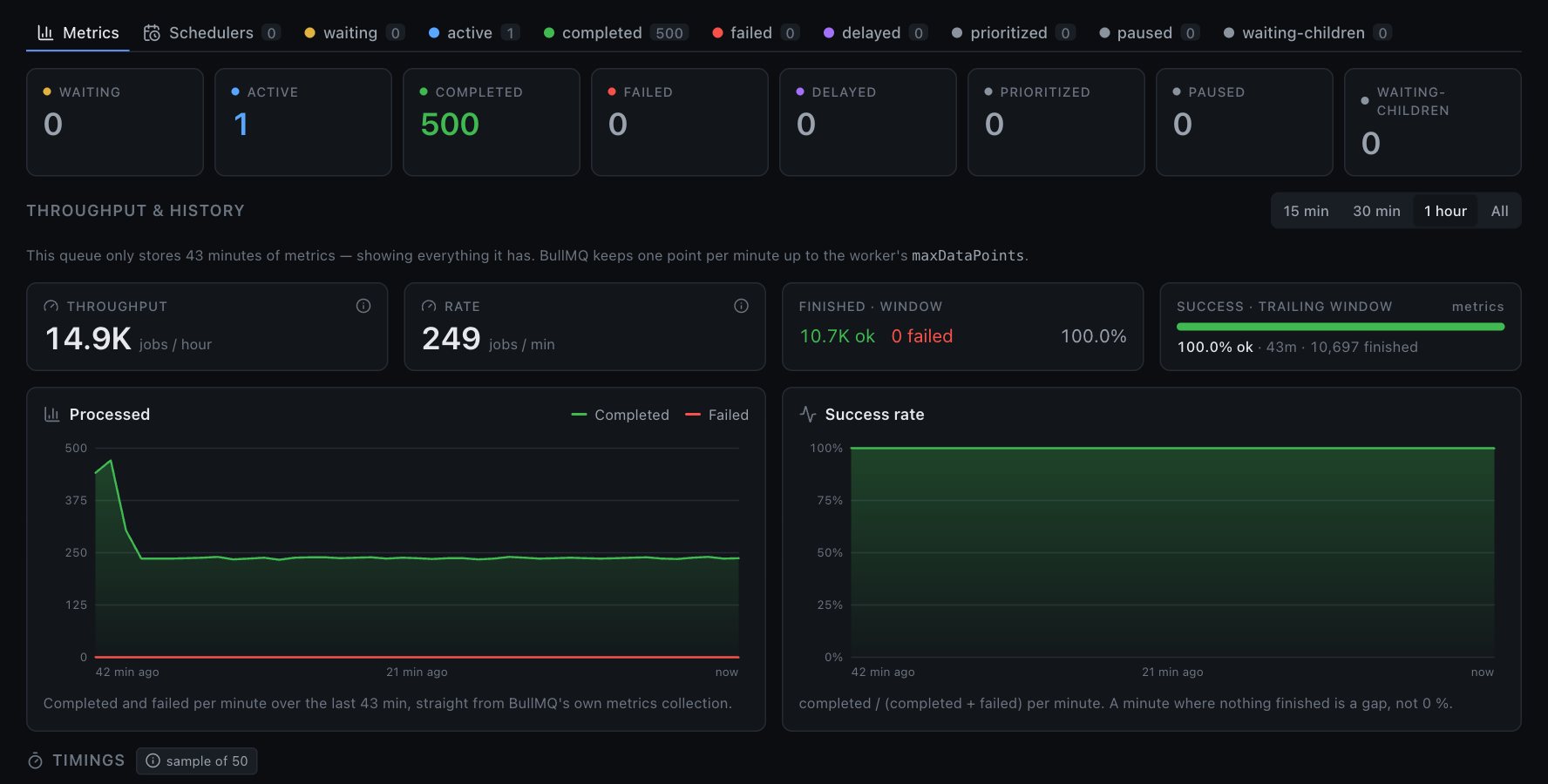
Metrics from BullMQ's own counters

Throughput, rate and success per minute, read from the metrics:completed and metrics:failed counters your workers already write. Fifteen minutes, an hour, or everything the queue kept.

Not a ZCOUNT over the completed set, which lies the moment removeOnComplete starts pruning. The card tells you which source it used.

Metrics tab with per-state counts, throughput, rate, success rate and processed / success charts

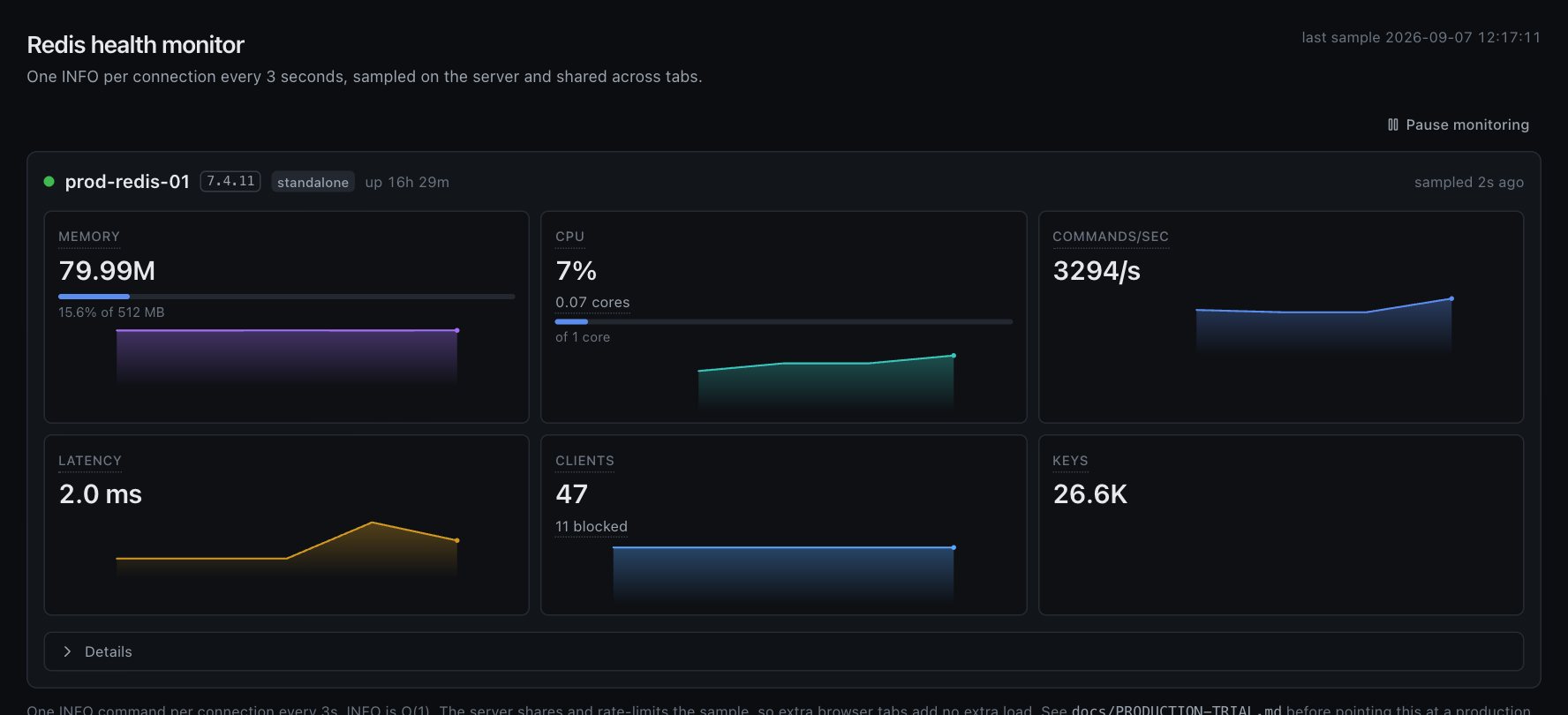
Redis health, one INFO every three seconds

Memory, CPU, commands per second, latency, clients, keys, with history per connection. Sampled on the server and shared, so ten open tabs cost your Redis exactly as much as one.

Redis health monitor for two connections with memory, CPU, commands/sec, latency, clients and keys

Pro: the features a team needs

One key unlocks everything below for one installation, unlimited users. Verified with bullpane.com once a day, keeps working for seven days offline. Pro features are always shown locked in the free edition, never hidden.

Pro

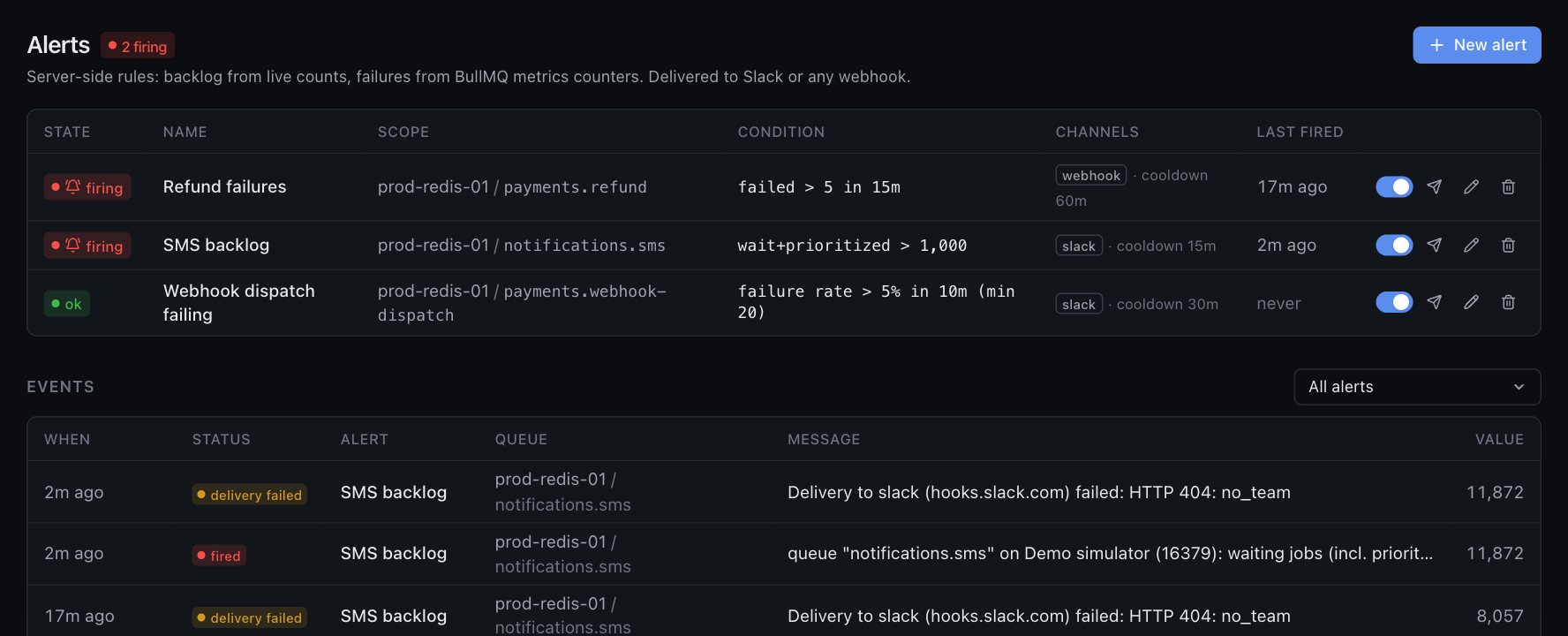
Alerts that watch BullMQ's metrics, not a screenshot

Backlog alerts from live counts. Failure and failure-rate alerts from BullMQ's metrics counters over a window you choose, with a minimum sample so a quiet minute cannot trip them.

The engine says warming up until it has real history and no metrics when a worker was created without them, instead of firing on a number it cannot stand behind. Slack or any webhook, cooldown per alert, every delivery logged.

Alerts page: one alert firing on SMS backlog, two warming up, and the delivery events below
Pro

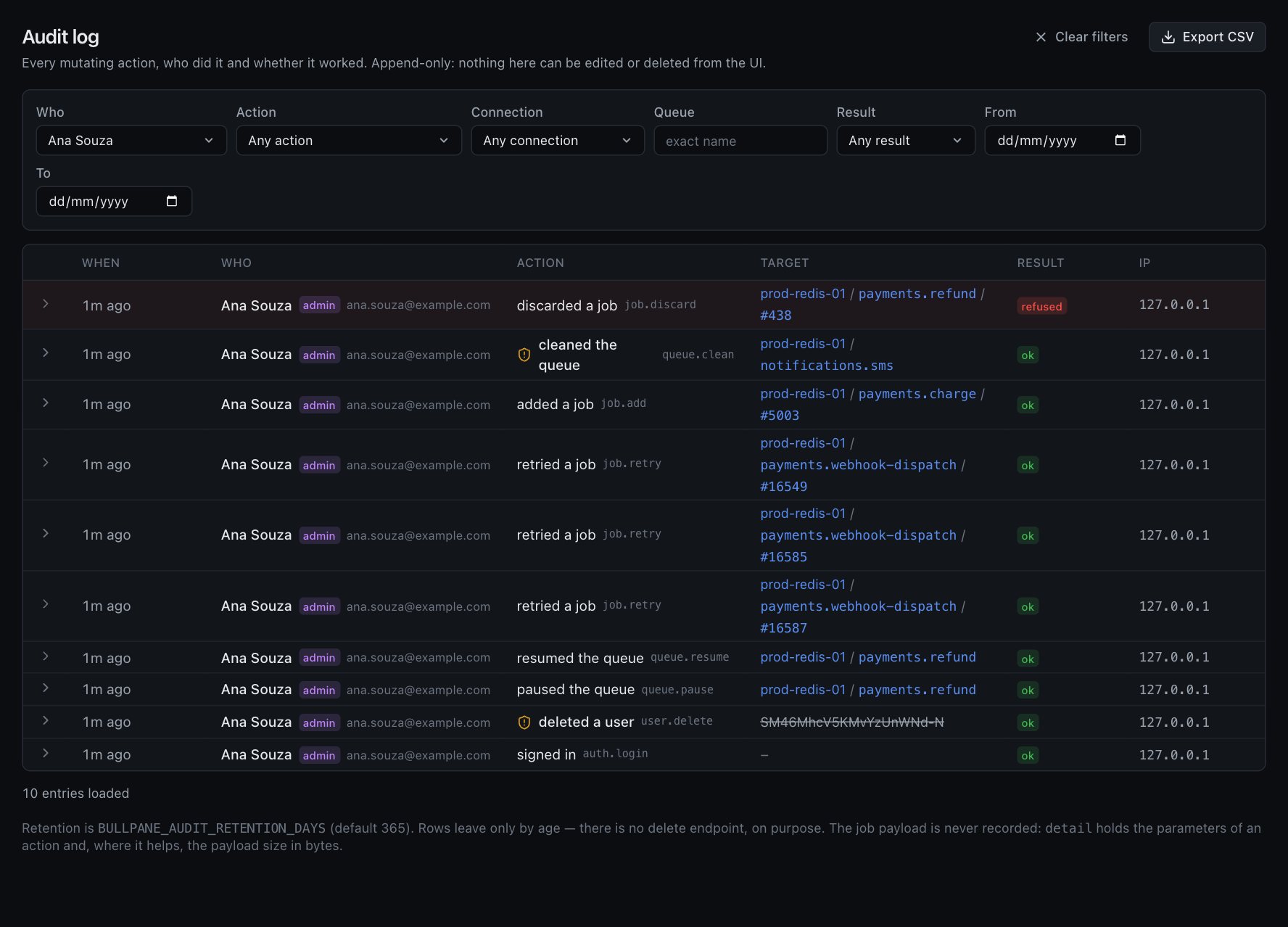
Who did what, including the refused attempts

Every mutating action: who, what, on which queue or job, result, IP. Append-only, in your own MySQL. A discard the role did not allow shows up as refused, which is the row you will actually want one day.

Filter by person, action, connection, queue or date. Export CSV for the auditor. Job payloads are never stored.

Audit log listing retries, a refused discard, a queue clean and user invites with actor, target, result and IP
Pro

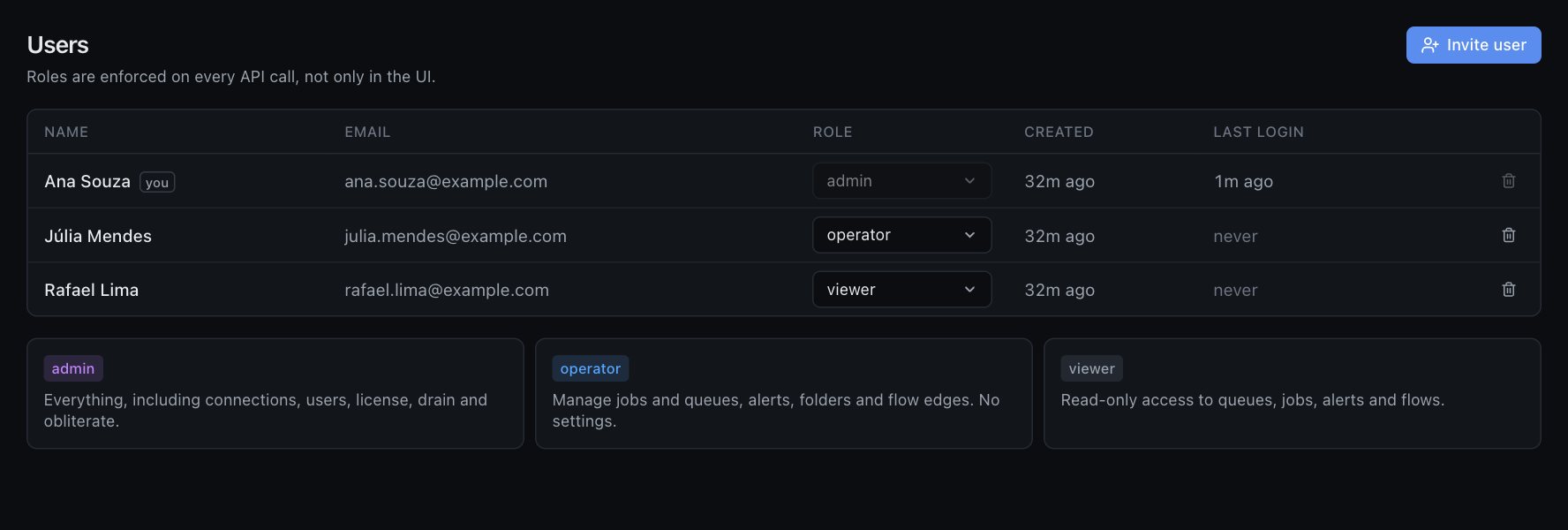
Roles enforced on every API call

Viewer sees everything and changes nothing. Operator runs the queues, alerts and folders. Admin is the only role that can drain, obliterate, manage users or touch the license. Not a UI convention: the server checks.

Users page with admin, operator and viewer roles and what each one can do
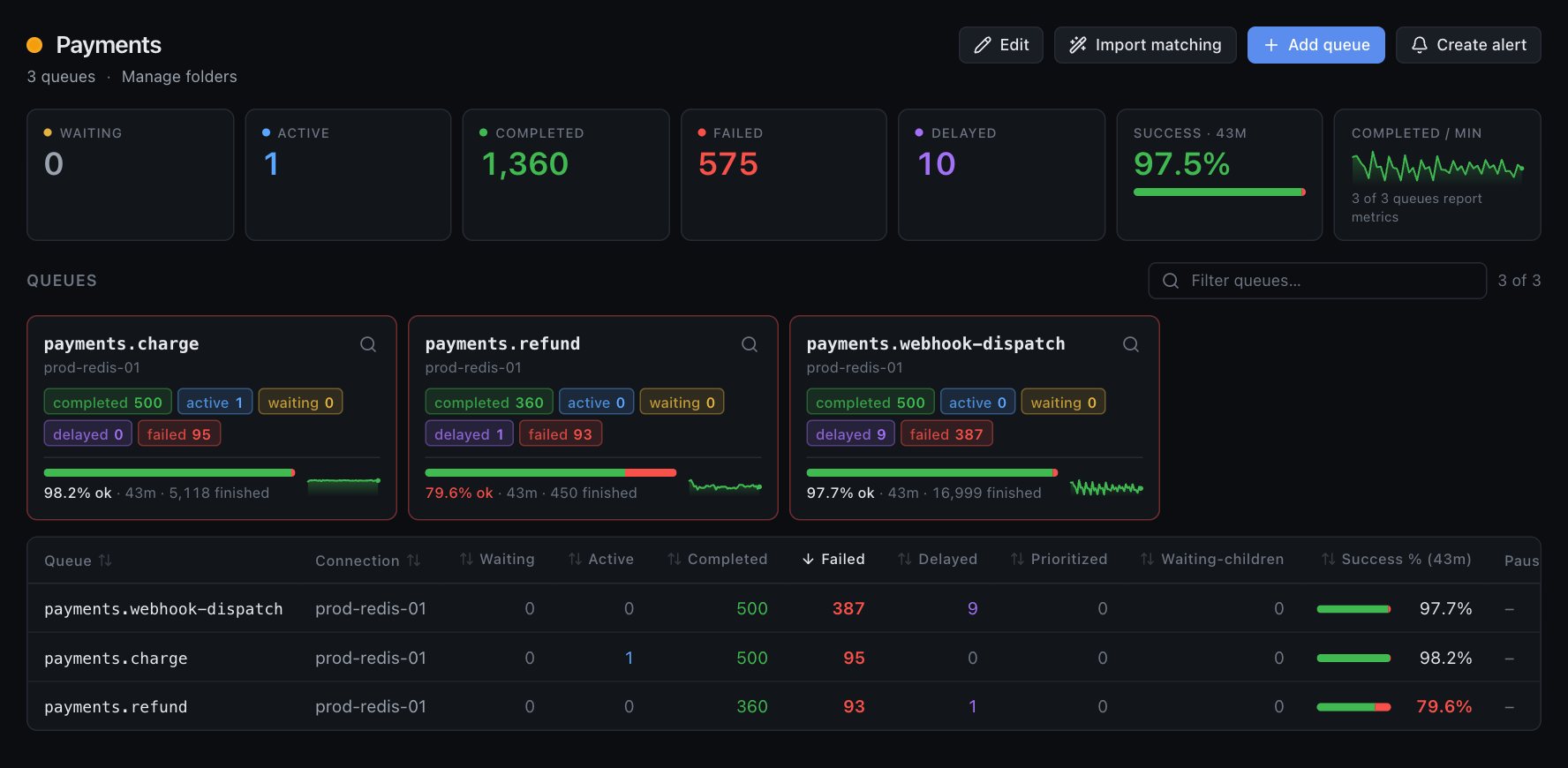
Folder dashboard for Payments with aggregate counts and the queues inside
Pro

Folders

Hundreds of queues across connections, grouped by team or product, with totals, success rate and alerts per folder.

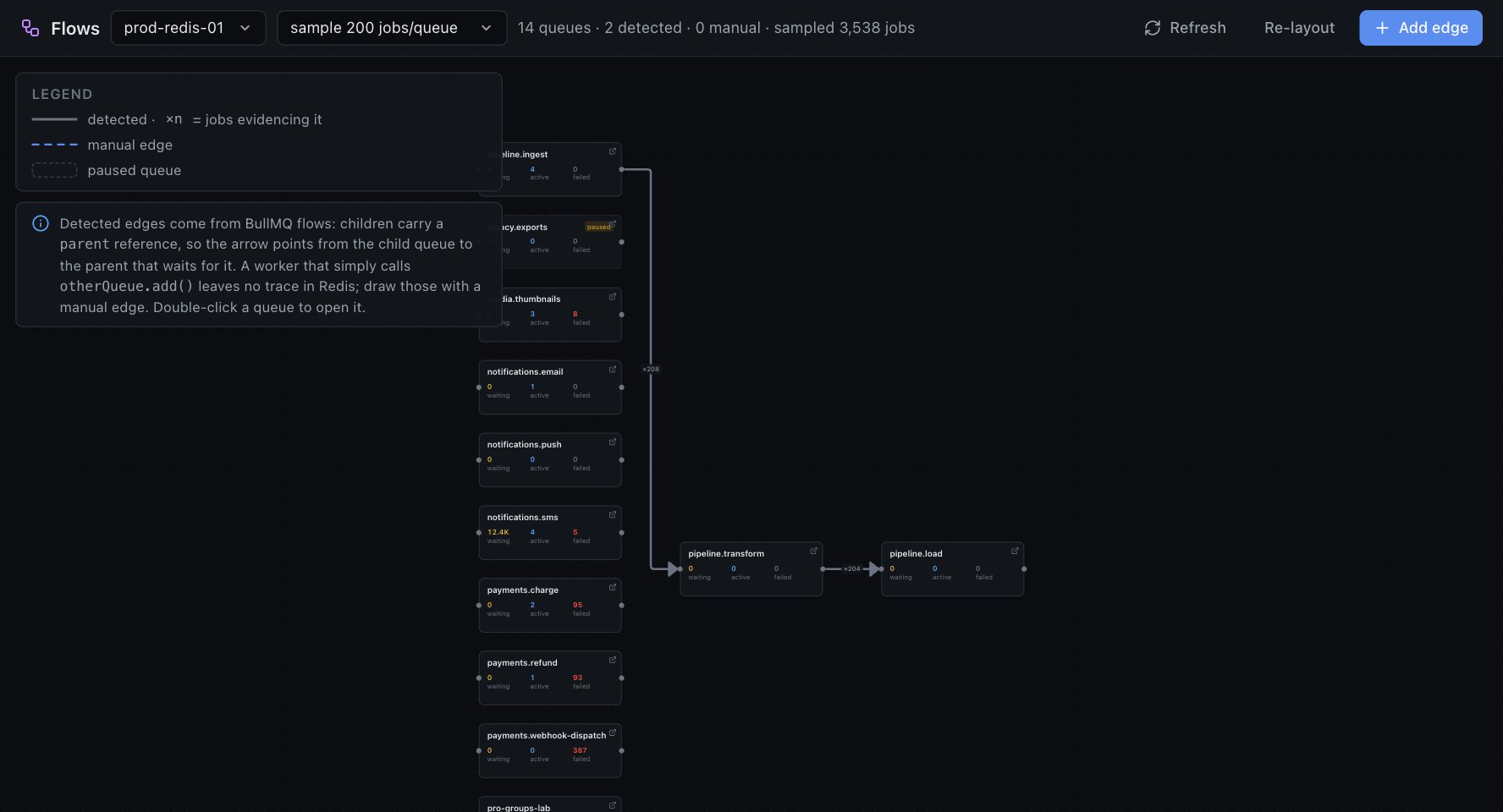
Flow graph of queues detected from BullMQ parent references
Pro

Flow graph

Detected from the parent references your BullMQ flows already leave in Redis, plus manual edges for the hops your code does by hand.

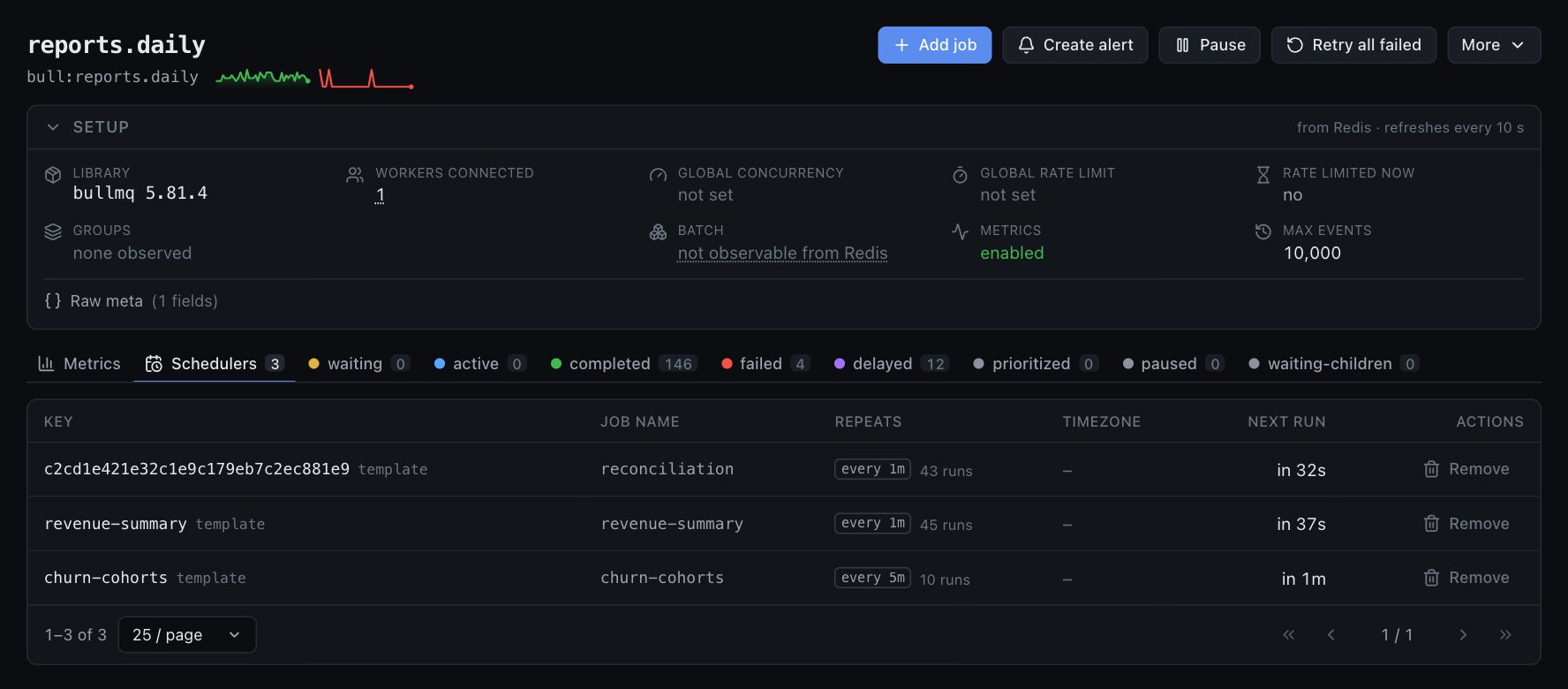
Schedulers tab listing repeatable jobs with interval, run count and next run
Free

Job schedulers

Every repeatable job with its pattern, how many times it ran, next run, and a Remove button that goes through the official API.

Pricing

Per installation, not per connection, not per seat. Taxes and invoices are handled by Creem, our merchant of record. 14-day refund on your first payment, and the free edition never expires.

Free

$0
  • Unlimited connections and queues
  • Jobs, search, bulk actions
  • BullMQ Pro groups, with per-group settings
  • Single admin login
  • Read-only mode
Install

Pro · monthly

$19 / month
  • Everything in Free
  • Alerts to Slack / webhook
  • Users & roles
  • Folders and flow graph
  • Audit log with CSV export
  • Unlimited users, one installation
Get Pro monthly

Pro · yearly

$149 / year
Save 35% — 12 months for the price of 8
  • Everything in Pro monthly
  • One invoice a year for procurement
  • Cancel any time, data stays
Get Pro yearly

Questions

How does the license work?

You get a key on the receipt. Paste it in Settings → License. The server activates it once against bullpane.com and re-checks it daily. One key runs one installation; to move servers, remove the key on the old one and paste it on the new one. Lost access to the old server? Write to hello@bullpane.com and we free it.

What if my server cannot reach the internet?

After a successful check the installation keeps Pro for seven days without any contact, and shows a "grace period" badge so you know. Air-gapped for real? Write to hello@bullpane.com for an offline key that never phones home.

Does anything about my queues leave my network?

No. The only thing the server ever sends to bullpane.com is the license key, a label for the installation (hostname) and the activation id. Job data, Redis URLs and queue names stay with you. The free edition sends nothing at all.

Does it work with BullMQ Pro?

Yes. Groups are first-class in both editions: status per group, waiting and prioritized jobs, active jobs against the group's concurrency, per-group rate limits and when a limited group resumes, validated against bullmq-pro 7.48. Batch size is a worker option BullMQ never writes to Redis, so the setup panel says "not observable" rather than guessing. Bullpane reads the same keys your workers use; it does not bundle or redistribute BullMQ Pro.

Can it hurt my production Redis?

That was the design constraint. No KEYS, no unbounded scans, one Lua round trip per queue, payloads truncated inside Redis, discovery cached. Start with BULLPANE_READ_ONLY=true if you want to watch before you trust it.

What happens when I cancel?

The installation goes back to the free edition. Alerts, folders, users and the audit log stay in your database and become accessible again the moment a key is activated.

Which database does it need?

MySQL 8 (or MariaDB) for users, sessions, alerts and the audit log. Redis is only ever read, and written through the official BullMQ API for job actions.